CONTAINER/RHOCP
[DEMO] Web Console로 OCP 접속하고 프로젝트 생성하기
coldplayer83
2025. 8. 21. 10:28
728x90
반응형
Chapter 1. Tutorials overview | Tutorials | OpenShift Container Platform | 4.19 | Red Hat Documentation
FormatMulti-pageSingle-pageView full doc as PDF
docs.redhat.com
openshift 웹 콘솔 url 확인하기
1. openshift 웹 콘솔 pod 상태 확인
oc get pods -n openshift-console | grep console
2. openshift 웹 콘솔 route 확인
oc get routes console -n openshift-console -o jsonpath='{"https://"}{.spec.host}{"\n"}'
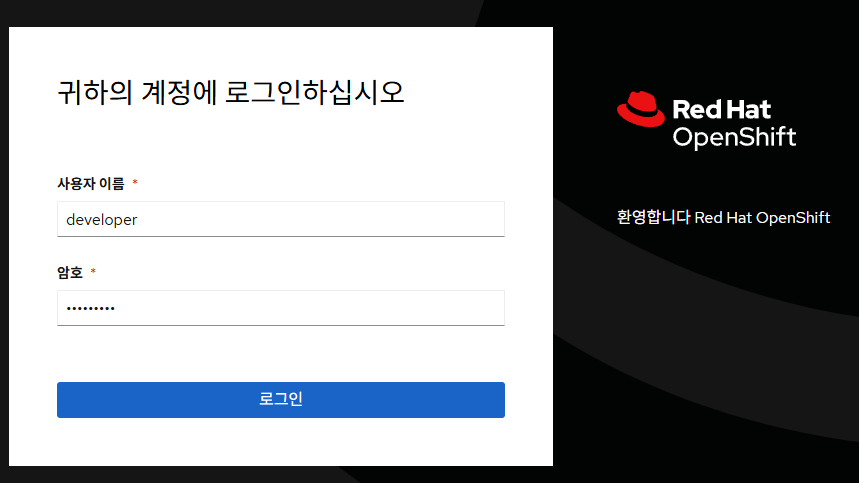
3. 확인된 url로 브라우저에서 접속
id: developer
pwd : developer
프로젝트 생성하기
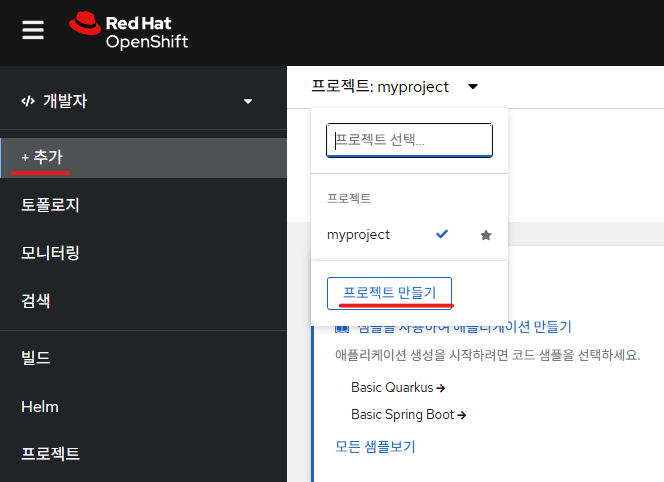
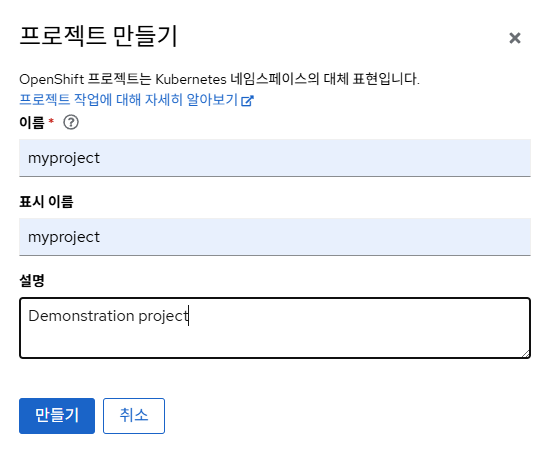
1. 추가(+Add) 버튼 클릭하여 프로젝트 생성
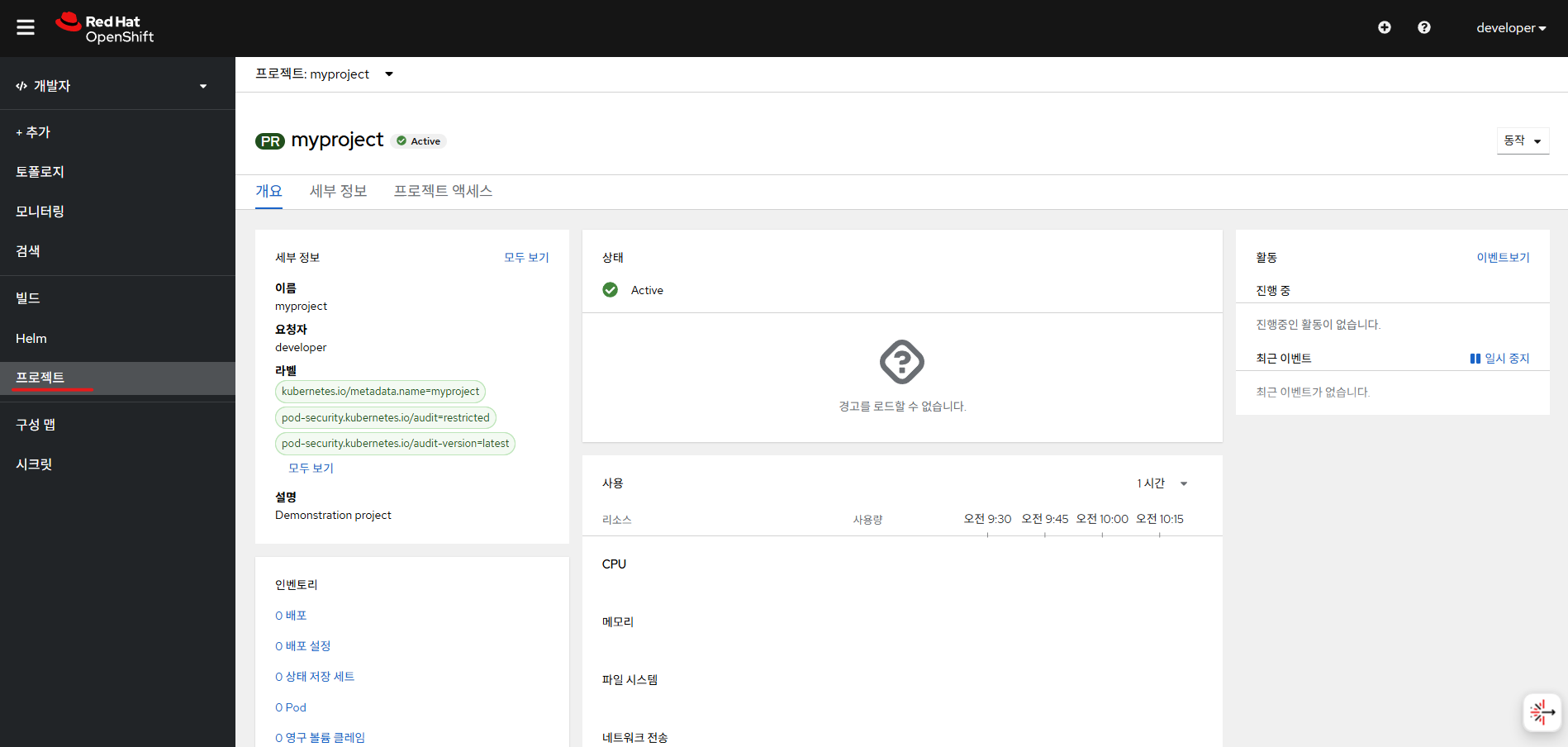
2. 생성한 프로젝트 상세내용 확인
728x90
반응형