[각 xml 설정 파일의 차이점]
standalone.xml
java EE 웹 프로파일, RESTFul 웹 서비스, EJB3 원격 호출 지원
standalone-full.xml
클러스터링 없이 Java EE 전체 프로파일 및 모든 서버 기능 지원
standalone-ha.xml
클러스터링 기능이 있는 기본 프로파일
standalone-full-ha.xml
클러스터링 기능이 있는 full 프로파일
[어플리케이션 설정]
1. 어플리케이션 WEB-INF 경로에 다음과 같이 파일 작성
jboss-web.xml
<jboss-web>
	<context-root>/</context-root>
	<replication-config>
		<replication-trigger>SET</replication-trigger>
		<replication-granularity>SESSION</replication-granularity>
	</replication-config>
</jboss-web>
위와 같이 Context-root 셋팅과 session 공유 범위를 선택하는 replication-config를 설정
replication-trigger
SET : SET이 발생하였을 때 SESSION 정보를 Backup Server로 Copy하겠다는 의미
replication-granularity
복제 세분화 범위는 SESSION에 한정
web.xml
<?xml version="1.0" encoding="UTF-8"?>
<web-app version="3.0" xmlns="http://java.sun.com/xml/ns/javaee" xmlns:xsi="http://www.w3.org/2001/XMLSchema-instance" xsi:schemaLocation="http://java.sun.com/xml/ns/javaee http://java.sun.com/xml/ns/javaee/web-app_3_0.xsd">
	<session-config>
		<session-timeout>30</session-timeout>
		<!--tracking-mode>URL</tracking-mode-->
	</session-config>
	<distributable/>
</web-app>
<distributable/> 태그 추가
[서버 설정]
[방법1]
1. standalone-ha.xml 파일 수정
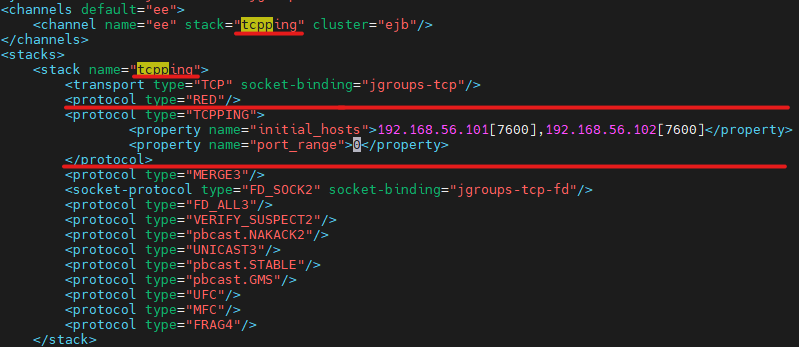
port는 jgroups-tcp 태그에 설정된 포트로 작성
2. env.sh 파일 수정

[방법2]
1. standalone-ha.xml 파일 수정
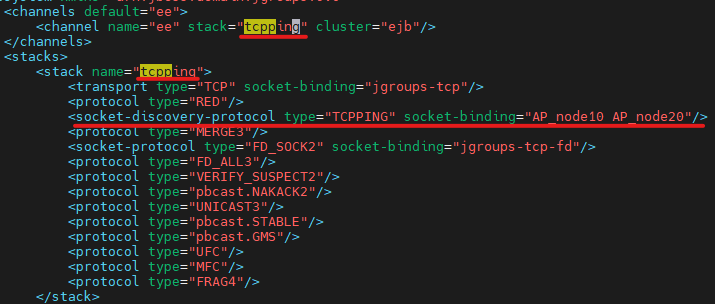
socket-binding : instance 이름으로 작성
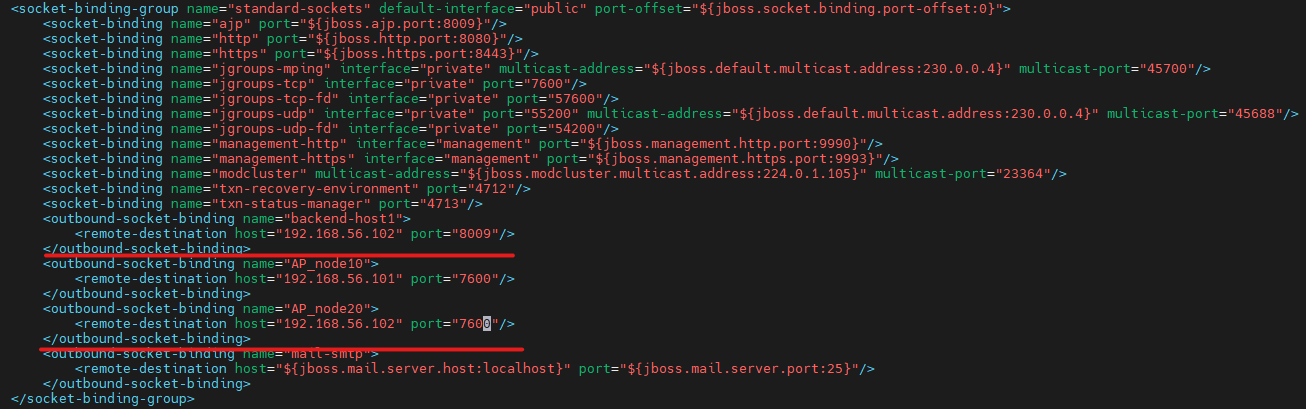
[방법3]
1. env.sh 파일 수정

[클러스터 멤버에 대한 timeout 설정]
/subsystem=jgroups/stack=${stack_name}/protocol=FD_ALL:write-attribute(name=properties, value={timeout=10000, interval=2000})
ex) /subsystem=jgroups/stack=tcp/protocol=FD_ALL:write-attribute(name=properties, value={timeout=10000, interval=2000})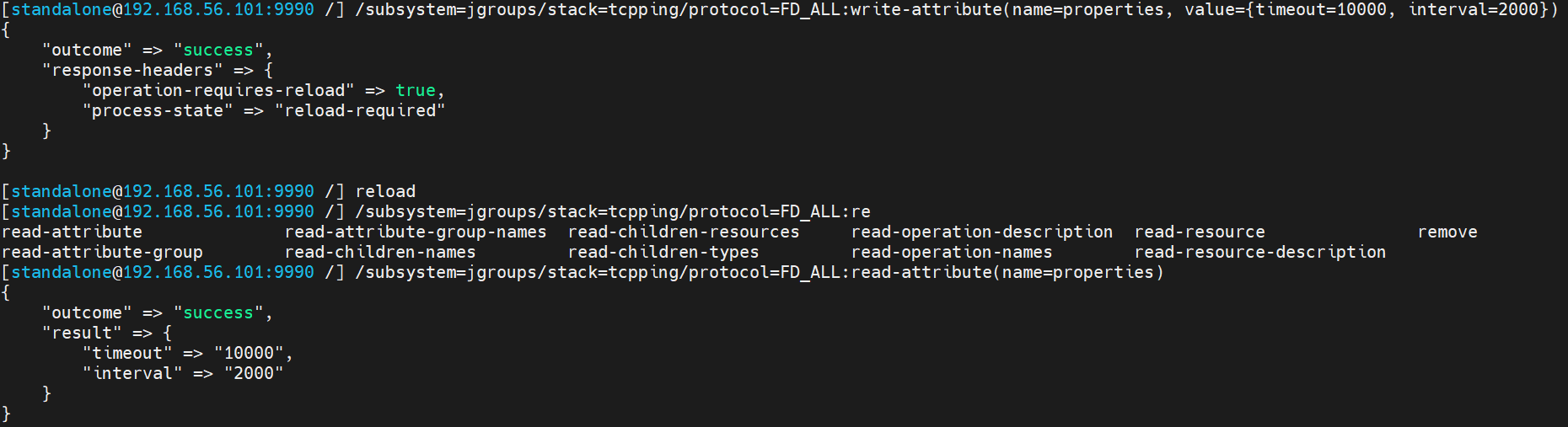
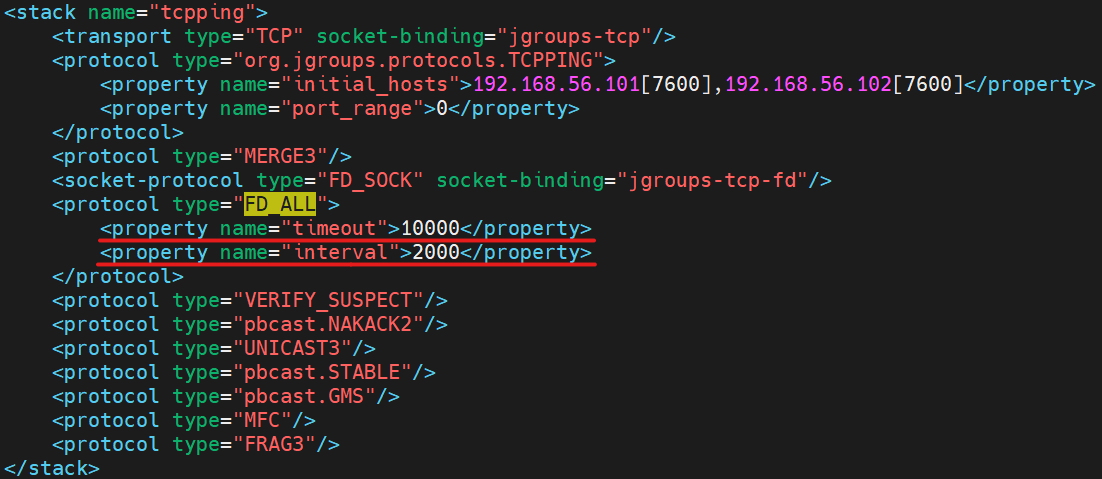
해당 설정을 너무 타이트하게 할 경우 일시적인 이슈로 상대 멤버의 정상적인 응답이 어려울 때 해당 멤버가 정상 동작 할 수 있음에도 멤버에서 제외시키는 오탐이 발생할 수 있으므로 주의!
'WAS > JBOSS_WILDFLY' 카테고리의 다른 글
| 16. JBoss 점검 (cli 방식 -8 버전 기준) (4) | 2025.07.07 |
|---|---|
| 15. postgreSQL 데이터소스 설정 (cli 방식) (3) | 2025.07.07 |
| 13. [standalone] 배포 (2) | 2025.06.30 |
| 12. 서버 blocking 옵션 설정 (0) | 2023.12.15 |
| 8. [Domain] 서버 인스턴스 기동/중지 스크립트 (0) | 2023.12.13 |


